KIMEsynth1 — Browser Synth & Sampler
YOUR NEXT SOUND STARTS HERE.
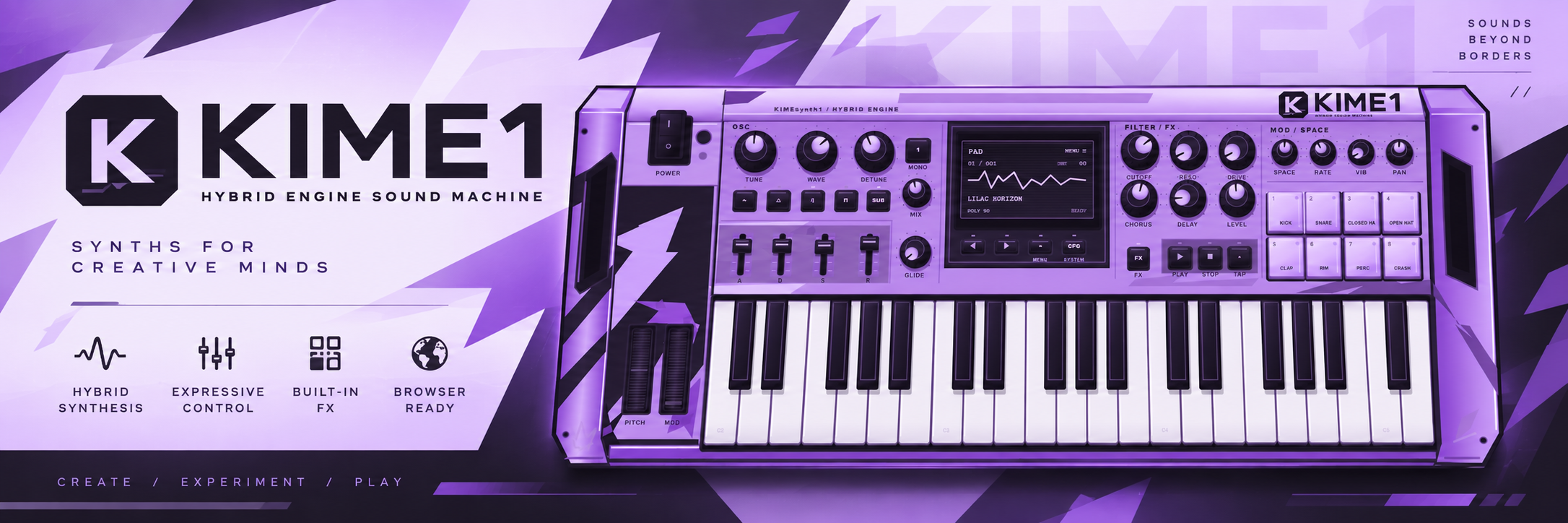
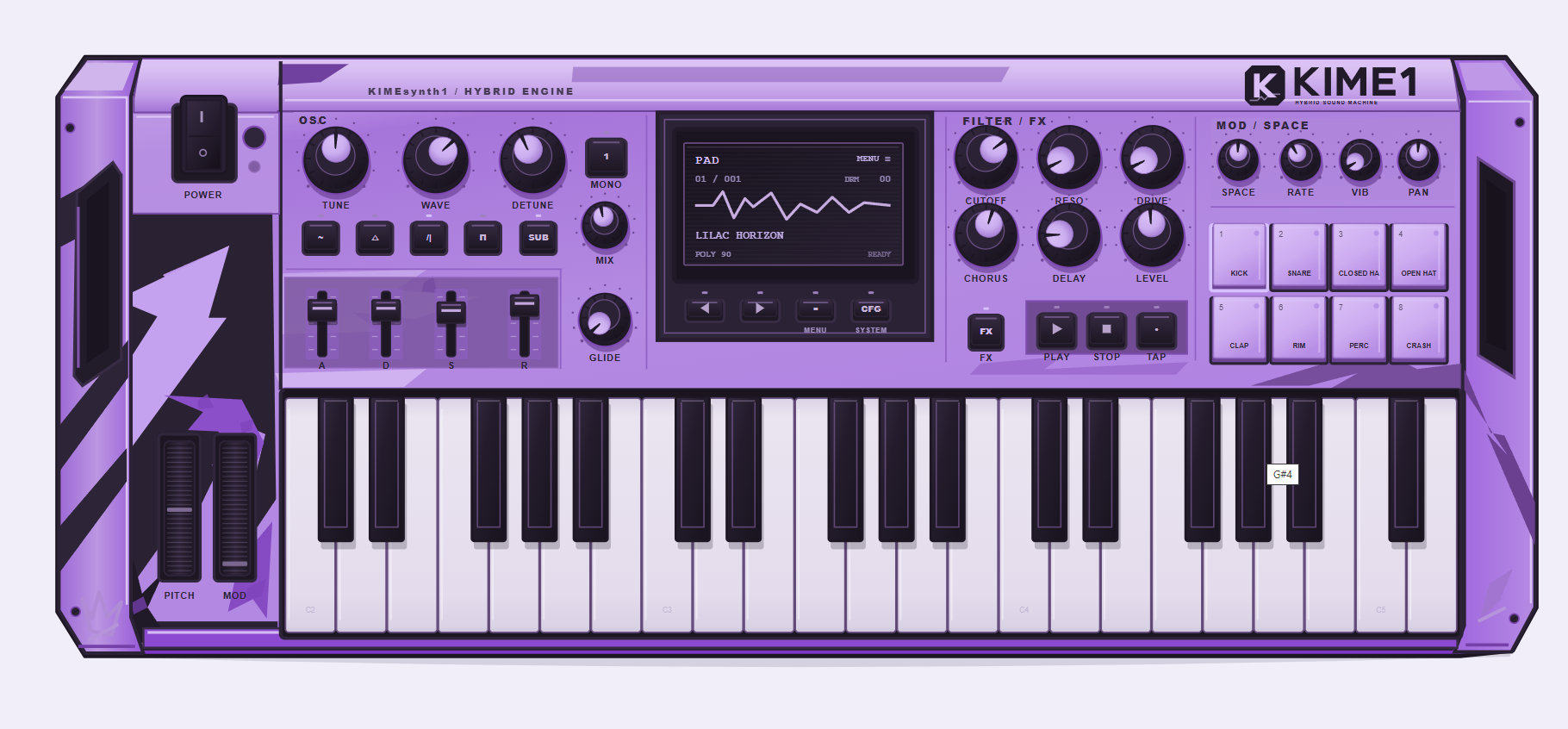
KIMEsynth1 — KIME1 for short — is a browser-based synthesizer and sampler with a lilac, hardware-inspired interface.
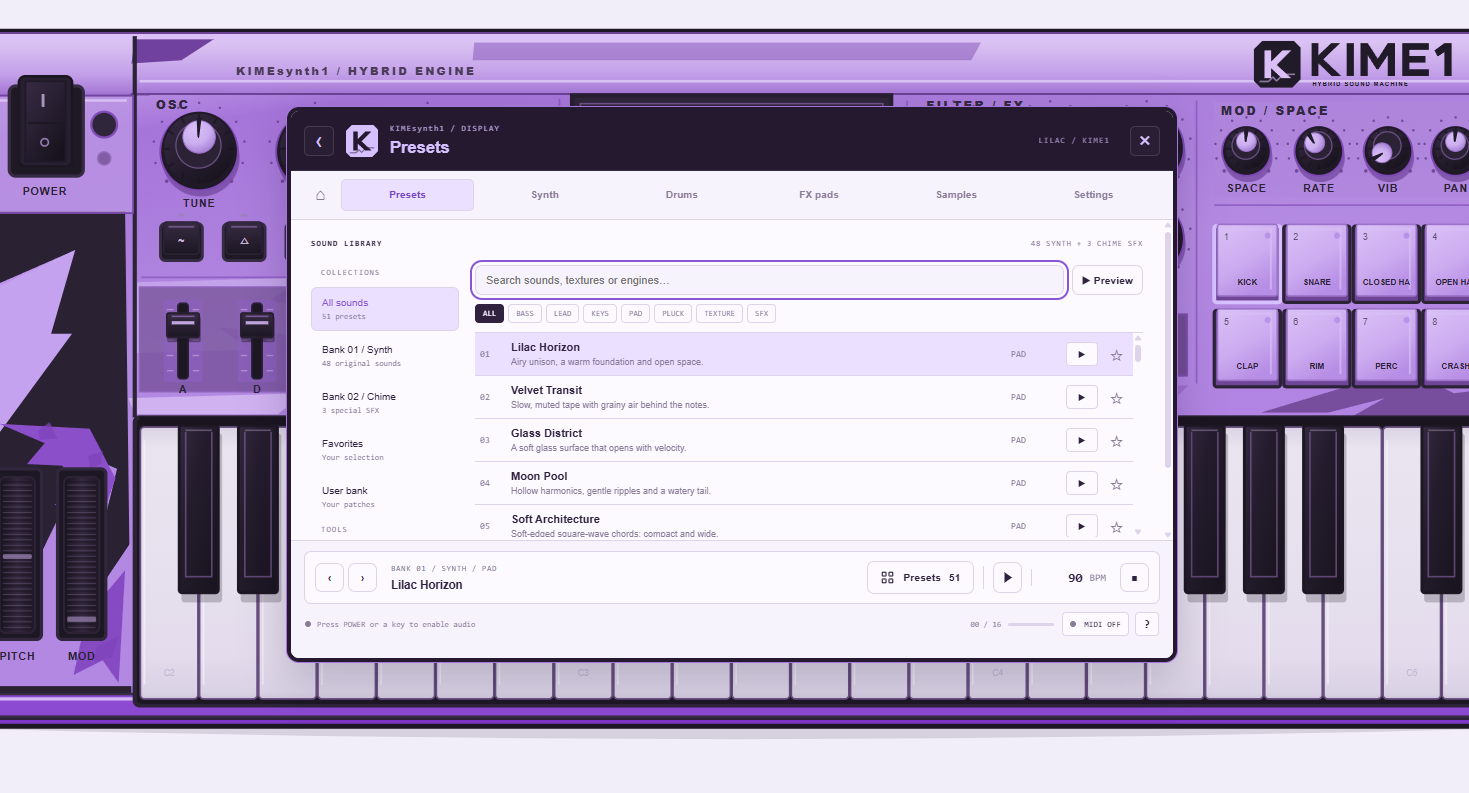
Explore a sound, turn a knob, play a melody or drop your own samples onto the pads. Everything starts from the instrument itself: click its central display to open the preset library, sound editor, drums, effects, sampler and settings.
No installation required for the browser version. Just launch it and press POWER.
51 ORIGINAL PRESETS
Find your starting point with 48 synth patches in Bank 01 and three dedicated chime/SFX patches in Bank 02.
Browse the library, filter sounds by category, preview a patch and save your favorites. Shape the sound with the instrument’s controls, then save your own presets to the User bank.
EIGHT PADS. DIFFERENT POSSIBILITIES.
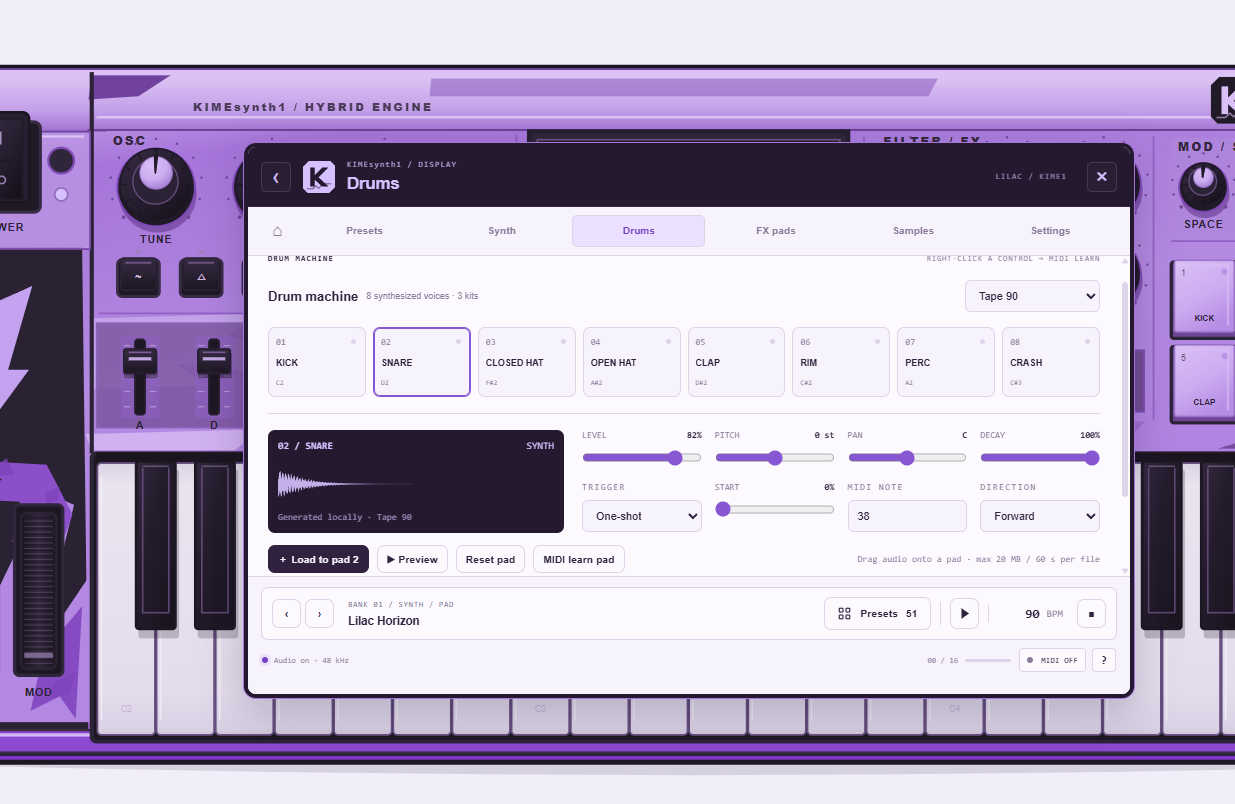
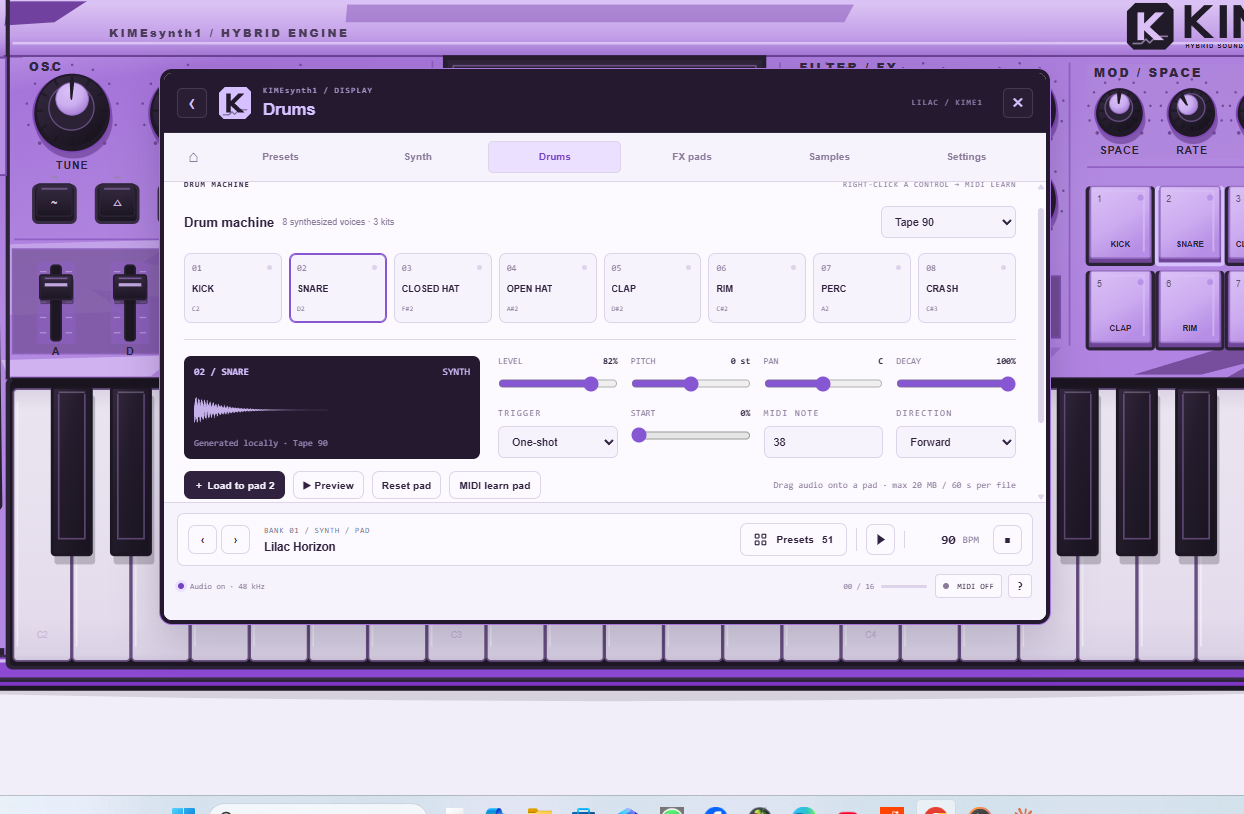
Switch the pads between drums, FX, samples and chord performance.
Build patterns with the step sequencer, trigger sounds from your computer keyboard or load your own audio. Drag files directly onto a pad, or use “Load to pad” in the editor. A lit indicator shows when a sample is loaded.
Each pad has independent level, pitch, pan, decay, start position, reverse and MIDI-note settings, with one-shot, gate and loop playback modes.
AN INSTRUMENT-FIRST INTERFACE
The main view stays focused on the synth: keys, knobs, faders, pads and the central display.
Open the menu when you need it. Close it and return to playing, without losing your edits. Choose between Lilac, Acid and Midnight themes.
GET STARTED
Press POWER to enable audio.
Play notes with:
A W S E D F T G Y H U J K O L P
Use Z / X to change the computer-keyboard octave.
Use 1–8 to trigger the pads.
Press Space to start or stop the sequencer.
Drag knobs vertically to adjust them.
Hold Shift for fine adjustments.
Double-click a control to reset it.
Click the display or MENU to explore the instrument.
Click CFG to open Settings.
MIDI SUPPORT
Connect a compatible MIDI controller from Settings → Connect MIDI.
Use MIDI Learn to assign hardware knobs and sliders. In Auto routing mode, MIDI channel 10 controls the pad bank, while other channels play the synth.
MIDI availability depends on your browser, permissions and the embedded player. Mouse and computer-keyboard controls remain available without MIDI.
SAVE YOUR SOUNDS
Save preset stores your synth patch and exports a JSON copy.
To keep your imported samples and patterns, use Settings → Export session. Import that session to continue later.
Important: samples are not automatically restored after reloading the page. A preset file alone does not include imported audio.
ABOUT THIS RELEASE
KIMEsynth1 is an independent instrument in active development.
This release runs in a web browser. It is not a compiled VST3 or AU plugin and does not automatically connect to a DAW.
Sample pitch changes playback speed; time-stretching is not included.
SUPPORT & FEEDBACK
Enjoying KIME1? An optional donation supports continued development.
Found a bug or have a sound-design idea? Leave a comment with your browser, operating system and what happened.
Play. Tweak. Make it yours.
Comments
Log in with itch.io to leave a comment.
Cool visual
thanks!!